


自迁移出 MediaWiki 以来,本页内容尚未经过审查。如果您愿意帮忙,请查看帮助指南!
拼接平铺数据集的第一步是确定对升降台之间的视图。在 ** 约会模式 ** 中,选择用于对升降台计算的视图。然后右键单击并选择Step-by-step Stitching › Calculate Pairwise Shifts… › Phase Correlation。 拼接将引导您完成对升降台确定、托盘验证和全局优化三个步骤。
- 如果您决定确定两两个升降并跳过其他步骤,您可以使用Stitching Wizard › Stitch dataset…
- 除了用于确定位移的默认相位相关算法之外,我们还通过 Lucas-Kanade 方法或兴趣点注册提供对齐,以及专家视图分组选项。对于那些高级方法,请参阅BigStitcher_Advanced_stitching
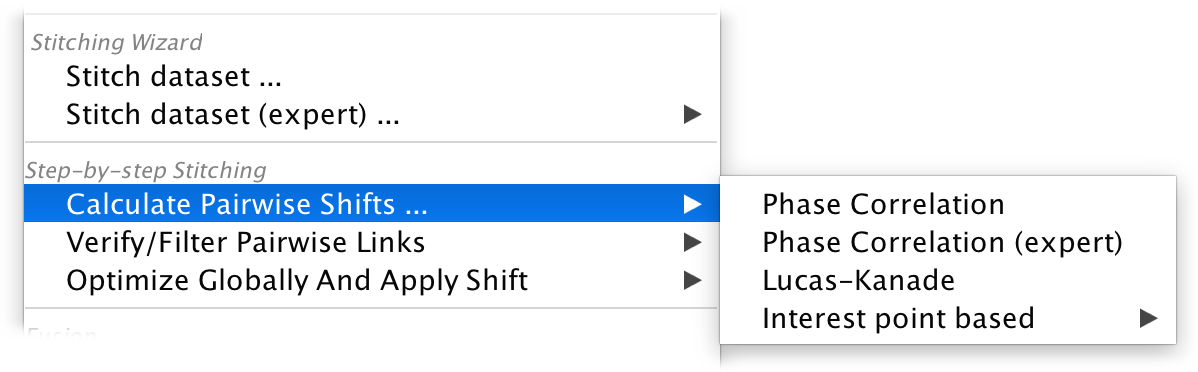
两两移位计算
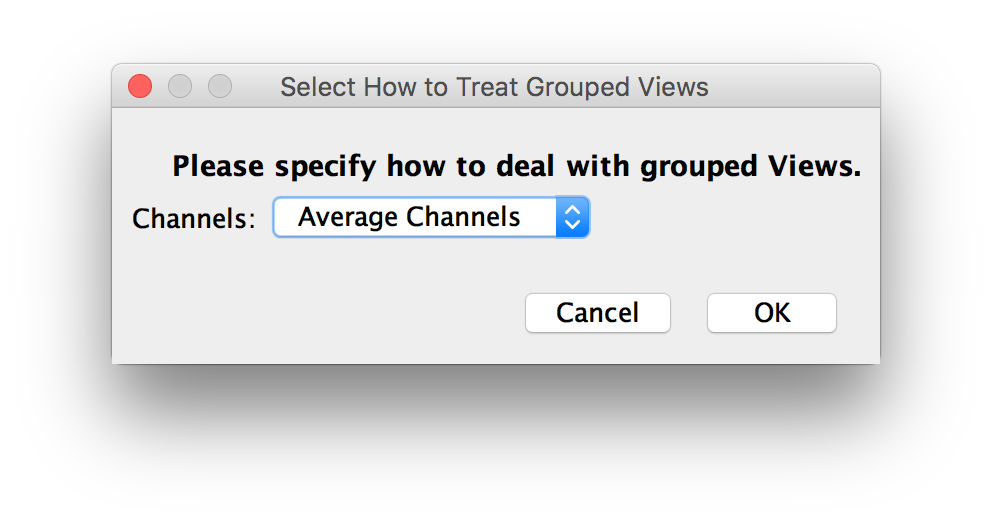
开始拼接过程后,您需要指定如何处理多个通道(如果存在)以及要使用的下采样。
- 如果您的数据集有多个通道,系统会询问您使用哪个通道进行切割。您还可以对切割过程的通道进行平均。
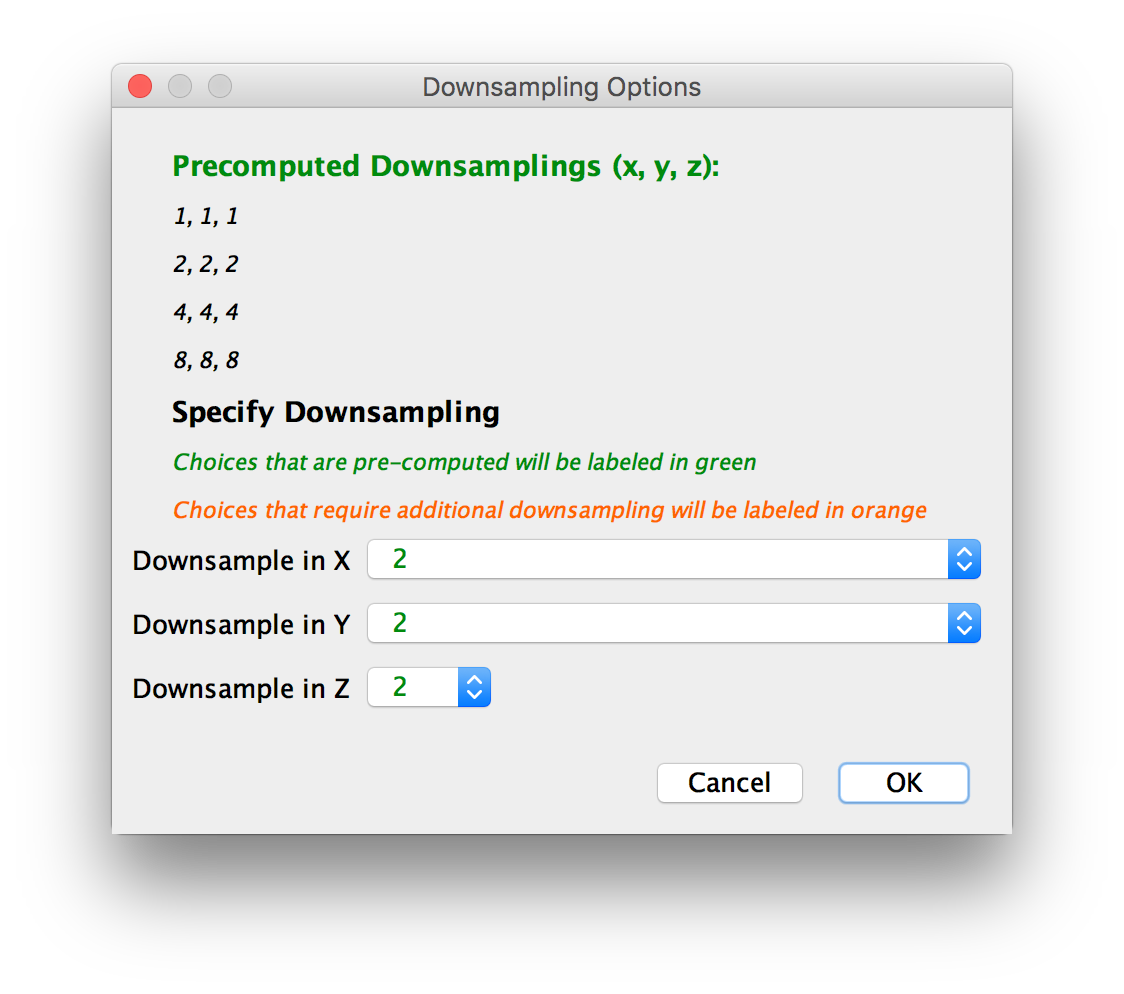
- 接下来,选择用于计算的 x、y、z 中的下采样。选择预定义的下采样因子或选择您自己的。
In our experience, some downsampling (2-4x) improves results over using raw image data, as it reduces noise in the images. It also dramatically speeds up computations, so we advise using moderate downsampling in this step
- 如果您运行拼接向导,系统将要求您继续进行Link Preview Mode。否则,您可以通过右键单击菜单继续执行此步骤。 返回main page

When calculating pairwise shifts, we use only the overlapping parts of two views. This reduces the amount of data we have to look at and speeds up the computation, but might lead to incorrect results if the initial overlap (e.g. the positions loaded from metadata or manual grid specification) of the images is too small.
