
本页解释了页面之间链接导航的机制。
导航链接

nav-links 在页面顶部提供导航栏。这是将多个相关页面结合在一起的好方法,而不影响站点范围的侧面菜单。
nav-links 在页面的前面启用。只需使用 true 值打开它们,就会自动链接到同一目录中的所有页面:
---
title: Navigation
nav-links: true
---
默认情况下,页面将使用其 title 显示在导航部分中。如果需要,可以使用 nav-title 前面的内容覆盖它:
---
title: Navigation
nav-links: true
nav-title: Navigating the Site
---
为了更好地控制链接,您还可以手动指定要链接到的页面列表以及为每个页面指定的标题:
---
nav-links:
- title: Overview
  url: /develop/index
- title: Philosophy
  url: /develop/philosophy
- title: Source code
  url: /develop/source
---
菜单

Changes to the navigation menu affect all pages. Items should be reserved for general topics.
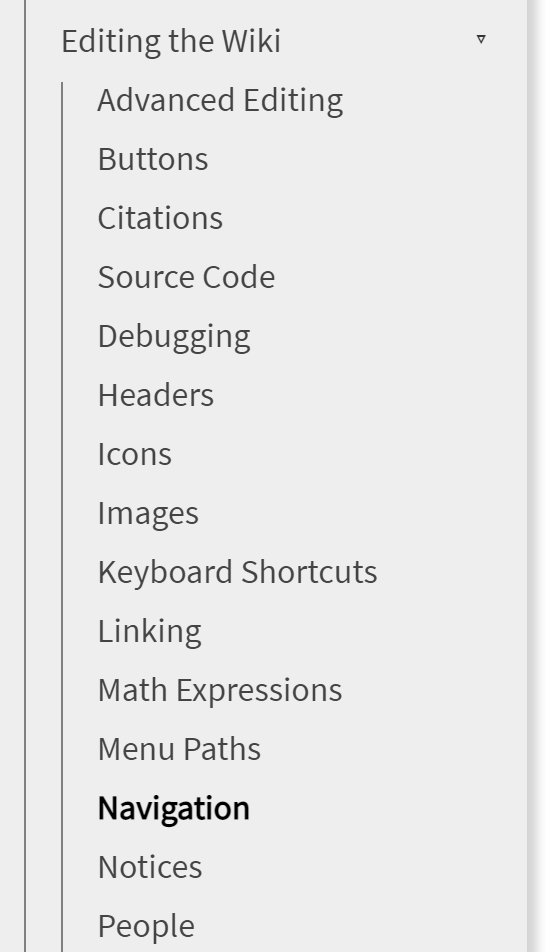
导航菜单允许对 wiki 主题进行分层组织。通过编辑 the menu include 并根据需要创建新的 <li> 元素,可以将项目添加到菜单中:
            {% include menu/section title="Editing the Wiki" link="/editing" %}
              <li><a href="/editing/advanced">Advanced Editing</a></li>
              <li><a href="/editing/buttons">Buttons</a></li>
              <li><a href="/editing/citations">Citations</a></li>
              <li><a href="/editing/code">Source Code</a></li>
              <li><a href="/editing/debugging">Debugging</a></li
在链接页面本身中,我们在前面添加了一个 section 条目,以指示导航到该页面时默认应打开菜单的哪个部分。请注意,这些部分只需指定为包含部分:例如,在此页面中:
---
title: Navigation
section: Contribute:Editing the Wiki
---
