


自迁移出 MediaWiki 以来,本页内容尚未经过审查。如果您愿意帮忙,请查看帮助指南!
概述
在翻译甚至仿射模型都不够的数据集中,提高配准质量的一种非常简单的方法使得图像分割可以单独配准的更小的块,部分地考虑了原始图像中的非刚性扭曲。
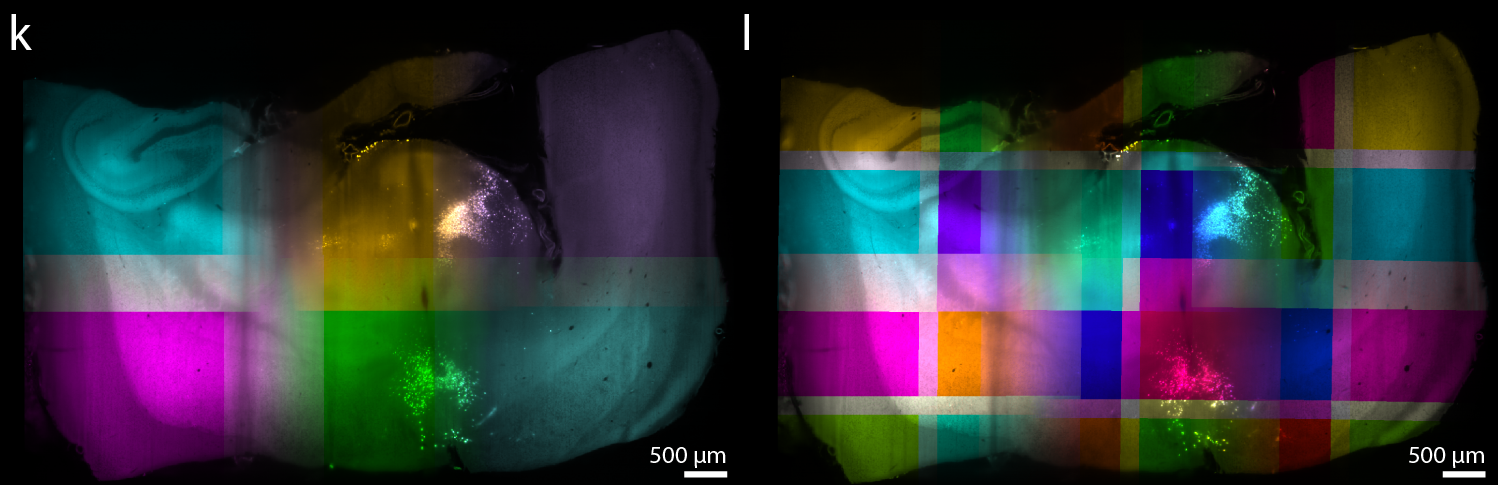 我们支持在 BigStitcher 中将数据集“虚拟”分割成更小的块。原始数据集不会被修改,数据也不必重新保存,因为我们只是“包装”原始数据集以生成分割版本。
While all functionality of BigStitcher is available for split datasets, computationally intensive steps such as phase correlation (Stitching) or interest point detection may take much longer in the virtually split images. We therefore recommend to perform Stitching, Interest Point detection and/or MultiView reconstruction on the whole images first and then run a second round of ICP refinement with existing interest points after splitting (The interest points detected in the whole images are carried over to the split images). This way, you can improve registration quality with minimal computational overhead.
满足
BigStitcher UI 中不包含分割功能。要分割数据集,您必须在斐济主菜单中选择Plugins › BigStitcher › Tools › Split Images。
首先,系统会要求您提供要分割的数据集(XML项目文件)。与opening an existing dataset时一样选择一个。
选择要分割的数据集并单击确定后,将出现以下对话框:
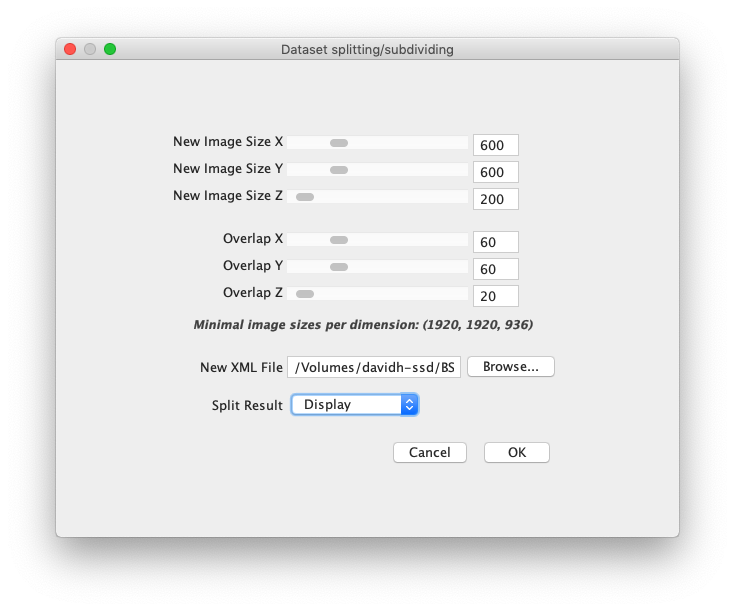 在这里,您可以设置
- 新图像大小指定 X、Y 和 Z 方向分割图像的大致大小(以像素为单位)。
- X、Y 和 Z 方向分割图像的重叠(以像素为单位)。
The specified New Image Sizes are only guidelines, the final result may deviate from them. The Overlaps will be respected exactly, however.
- 将保存分割数据集的 新 XML 文件 的路径。
- 分割结果 在这里,您可以选择
- Display to show the dataset in BigDataViewer after splitting. You need to manually click SAVE to commit the changes
- Save & Close to immediately save the split dataset. 您可以像打开任何其他数据集一样打开分割数据集(XML),并在 BigStitcher 中重建它。
