See also the step-by-step tutorial on building a macro to automate batch processing.
概述
在ImageJ中创建scripts and macros的基本好处是能够“在多个图像上*重用”其功能。虽然这可以手动完成,但有多种方法可以轻松地自动执行此批处理。
一般工作流程
- 创建一个针对活动图像或单个文件进行操作的基本宏/脚本。
- The macro recorder is an excellent way to generate macro code.
- The Introduction into Macro Programming explains the principles of macro writing.
- 将宏应用到一组图像。
- These images do not need to be open in ImageJ already—they will be read in as part of the batch process.
- See below for details.
选项 1 - Templates › ImageJ 1.x › Batch › Process Folder (ImageJ Macro)
启动批量转换的最快方法是通过Process › Batch命令。这将打开一个对话框(如下),允许您指定输入和输出目录。您可以选择输出文件格式,然后使用Add Macro Code下拉列表生成具有所需功能的宏。
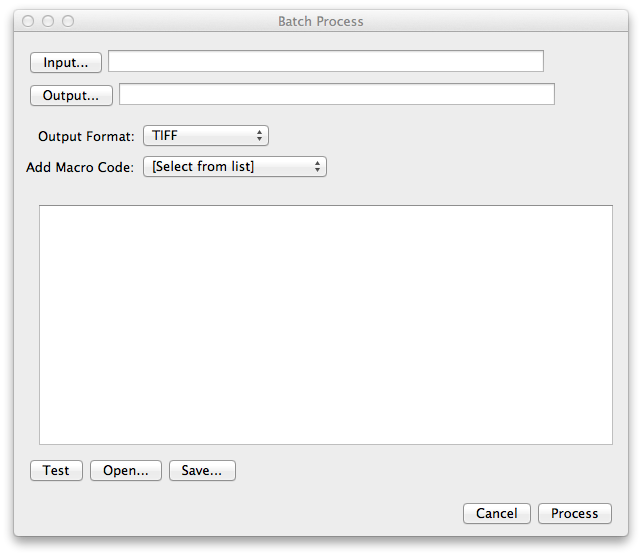
选项 2 - 脚本模板

This section requires ImageJ2.
script editor,选择Process › Batch › Macro…。这将生成以下样板:
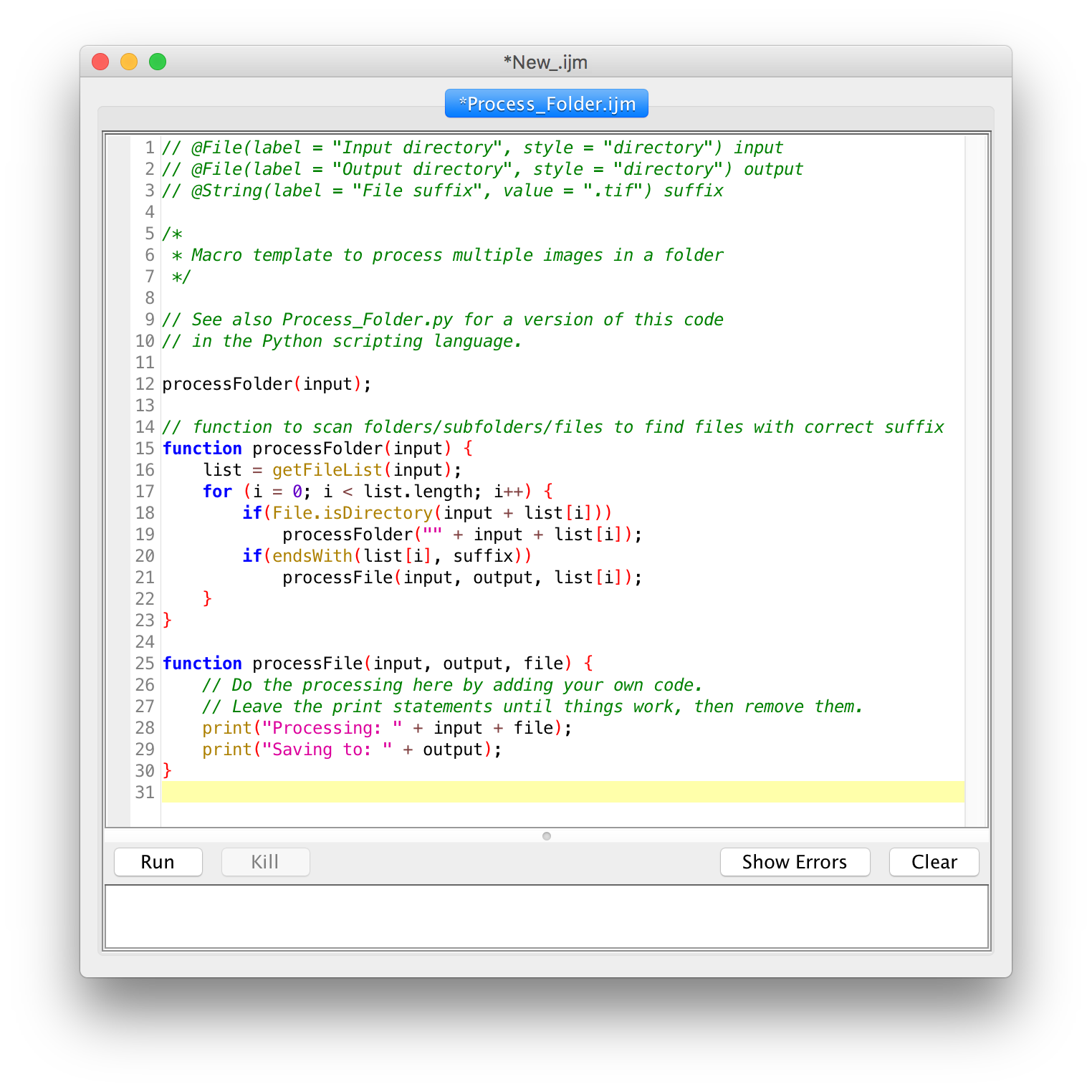
现在可以编辑第26行和第27行,将其替换为您想要的评估文件夹中给定类型的所有图像的功能宏代码。此外,您现在可以修改批处理逻辑本身,例如,如果需要自定义保存哪些输出信息(如果有)。
选项 3 - 使用脚本参数进行批处理

This section is currently being expanded to document the current state of the SciJava Batch Processor. The Batch Processor is a new addition to the SciJava/ImageJ2 framework. If you encounter any issues, please report/ask on the forum.
#另请参阅
