


自迁移出 MediaWiki 以来,本页内容尚未经过审查。如果您愿意帮忙,请查看帮助指南!
根据行星表面照片进行超草率表面重建或Scanning Electron Micrographs (SEM)。
动机
有时,您有一张表面图片,并且想看看它的 3D 外观。如果您的图片满足一些要求,那么重建该表面的近似值是可能的,而且实际上非常简单。这些要求是:
- 表面的照明和颜色没有变化(就像在SEM中,一切都是金色的,或者在月球上,一切都是奶酪)。
- 表面由左侧的单条平行光源照亮(如果来自不同的侧面,则旋转它)。
- 光源从更陡峭的角度或与表面最陡坡度同样陡的角度照射表面(这意味着:没有遮挡)。
- 没有实物展示。
如果满足这些要求,您的图片就是任意缩放的x-表面梯度。相反,将其与x集成以便您提供任意比例的曲面。
示例
请参阅此处的 lunar crater Hohmann 原始照片、集成并呈现为 3D Surface Plot 的照片。
|
style="vertical-align:top" | 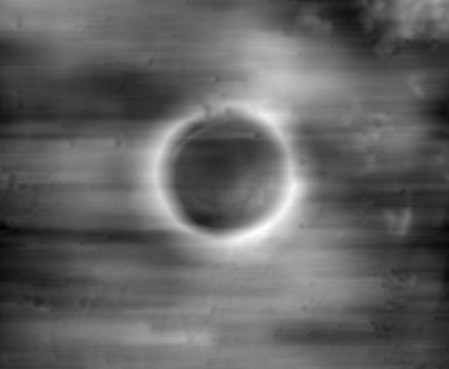 Integral in x
|
style="vertical-align:top" | 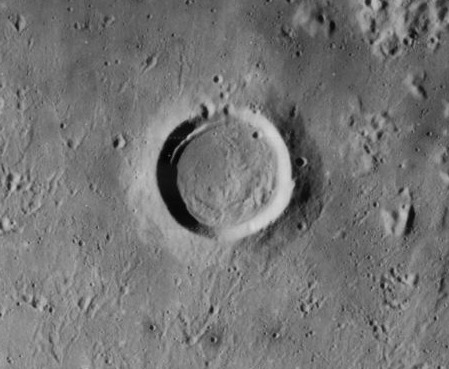 Original image
|
style="vertical-align:top" | 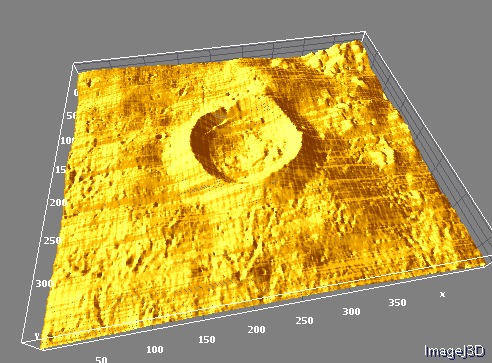 3D Surface Plot
|
缺点
- 该方法对噪声非常敏感。噪声会导致条纹,因为它是针对每个像素行独立累积的。
- 由于缺乏用于积分的常量初始值设定项,我们假设所有像素行的平均高度一致,并且每行的平均坡度为0。因此,具有大山而没有补偿山谷的行将低于应有的高度。
代码
这是 BeanShell,可以通过 Script Editor 或 BeanShell Interpreter 执行,或者将其作为扩展名为“.bsh”的文件拖到斐济工具来执行。该脚本以解释语言执行每个像素操作,因此速度非常慢。如果您确实需要更快的速度,则将源代码编译为 Java 类,对于 BeanShell 代码来说这是直接的。 import ij.; import ij.process.;
float mean( FloatProcessor source, int first, int last ) {
    double sum = 0;
    for ( int i = first; i < last; ++i )
        sum += source.getf( i );
    return ( float )( sum / ( last - first ) );
}

/** source and target are assumed to have identical dimensions. */
void integrateRow( FloatProcessor source, FloatProcessor target, int row ) {
    final int first = row * source.getWidth();
    final int last = first + source.getWidth();
    final float dxMean = mean( source, first, last );

    /* integrate */
    double x = 0;
    double xMean = 0;
    for ( int i = first; i < last; ++i ) {
        final float dx = source.getf( i );
        x += dx - dxMean;
        target.setf( i, ( float )x );
        xMean += x;
    }
    xMean /= last - first;

    /* normalize */
    for ( int i = first; i < last; ++i )
        target.setf( i, target.getf( i ) - ( float )xMean );
}

ImagePlus impSource = IJ.getImage();
FloatProcessor source = impSource.getProcessor().convertToFloat();
FloatProcessor target = new FloatProcessor( source.getWidth(), source.getHeight() );
ImagePlus impTarget = new ImagePlus( "I " + impSource.getTitle(), target );
impTarget.show();

for ( int i = 0; i < source.getHeight(); ++i ) {
    integrateRow( source, target, i );
    impTarget.updateAndDraw();
} ## 另请参阅

